
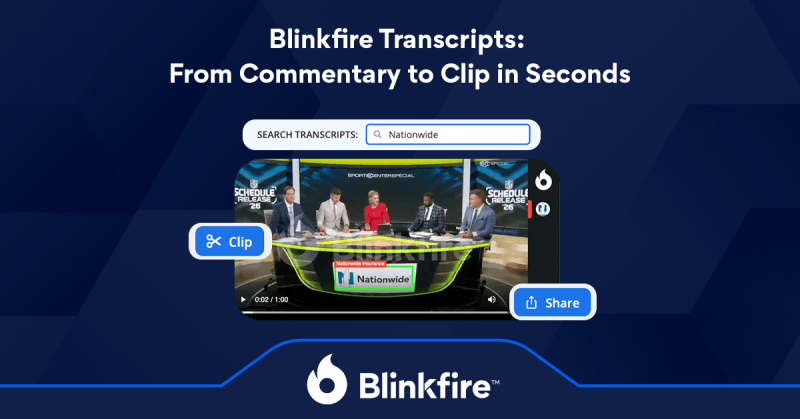
Blinkfire Transcripts: From Commentary to Clip in Seconds
Whether you are a rights holder trying to find a way to accurately report on TV earned media or a brand manager auditing verbal sponsor mentions for broadcasts, scrubbing through hours of footage to find a single 10-second clip is a frustrating, time-consuming task. That changes today.
We are excited to introduce Blinkfire’s TV earned media & broadcast transcripts. This powerful new feature transcribes every word spoken across TV earned media clips and broadcasts, making video footage fully searchable and immediately clippable. No more scrubbing through footage. No video editor required. Just search, jump to the timestamp, and clip.

What Makes Transcript Search a Game-Changer?
1. Advanced Transcript Search: Brands, Keywords & Beyond
Whether you’re tracking official brand partners or specific campaign slogans, our search capabilities allow you to pinpoint exact verbal mentions as they happen. Simply type in key phrases, like “touchdown”, “buzzer-beater”, or a player’s last name, and Blinkfire locates all clips and the exact moments in each audio track.
- Brand Mentions: Track every time a commentator mentions your brand name live on air.
- Keywords & Custom Terms: Set keywords for specific player names, stadiums, and/or custom campaign terms.

2. Specific Game & Key Moment Tracking
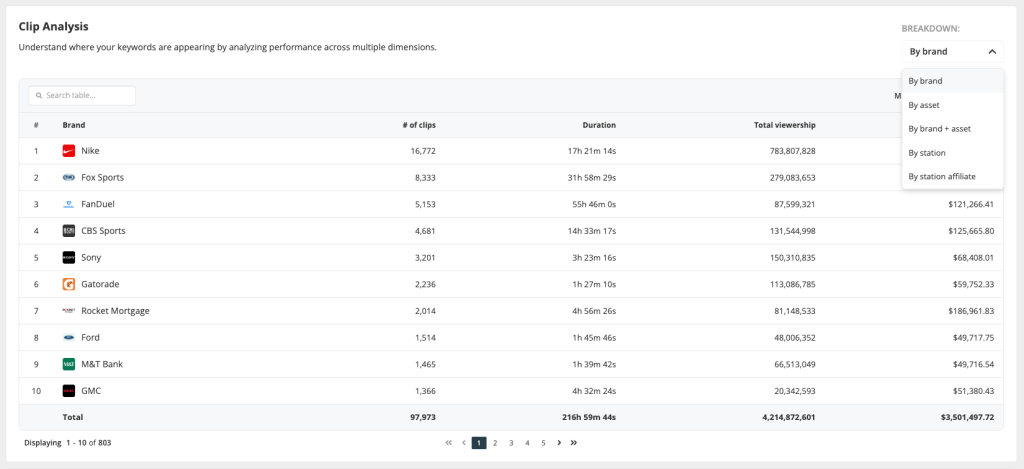
Need to capture meaningful data without waiting weeks? Create custom date ranges and transcript search parameters to isolate key moments instantly. Whether it’s an activation or a player being mentioned on SportsCenter or the local news, we have you covered. Summary data is available for each keyword on top of being able to drill into the details of individual clips.

3. Comprehensive Sponsor Reporting for Media Companies & Brands
Proving the value of exposure across TV earned media continues to be a challenge for most teams, brands, and media companies. No more. You can now seamlessly search broadcast transcripts for sponsor reads, organic mentions, and visual spots to ensure complete accuracy in partner reporting.
How Blinkfire’s Transcription Turns a Broadcast Into a Shareable Clip
Every word spoken during a broadcast or earned media hit, such as a play call, a sideline interview, or a sponsor shoutout, is captured by Blinkfire’s transcription engine. Broadcast and earned media segments are transcribed automatically, turning raw audio into searchable, timestamped text.
1. Search the transcript while you watch. Search the whole broadcast like a document instead of scrubbing through footage. Pull up the game and its transcript side-by-side, type in a sponsor name, a segment title, or a player, and matching lines surface the moment they’re spoken.
2. Turn the moment into a clip. Every line in the transcript carries its own timestamp, so once you’ve found the one you want, there are no additional editing tools needed. Simply drag the clip range, and Blinkfire cuts the clip automatically, video and audio.
3. Get it to where it needs to go. The clip is ready the second you make it. Attach it to a client email, drop it into a sponsorship report, or send it to your internal team. No converting or reformatting required.
Ready to Upgrade Your TV Earned Media & Broadcast Tracking?
Stop scrubbing through hours of video files. Experience how quick and effortless earned media tracking and highlight clipping can be with Blinkfire. Visit Blinkfire and schedule a demo with our team!


No Comment